
Temple management software
KshetraOne
The temple office, online.
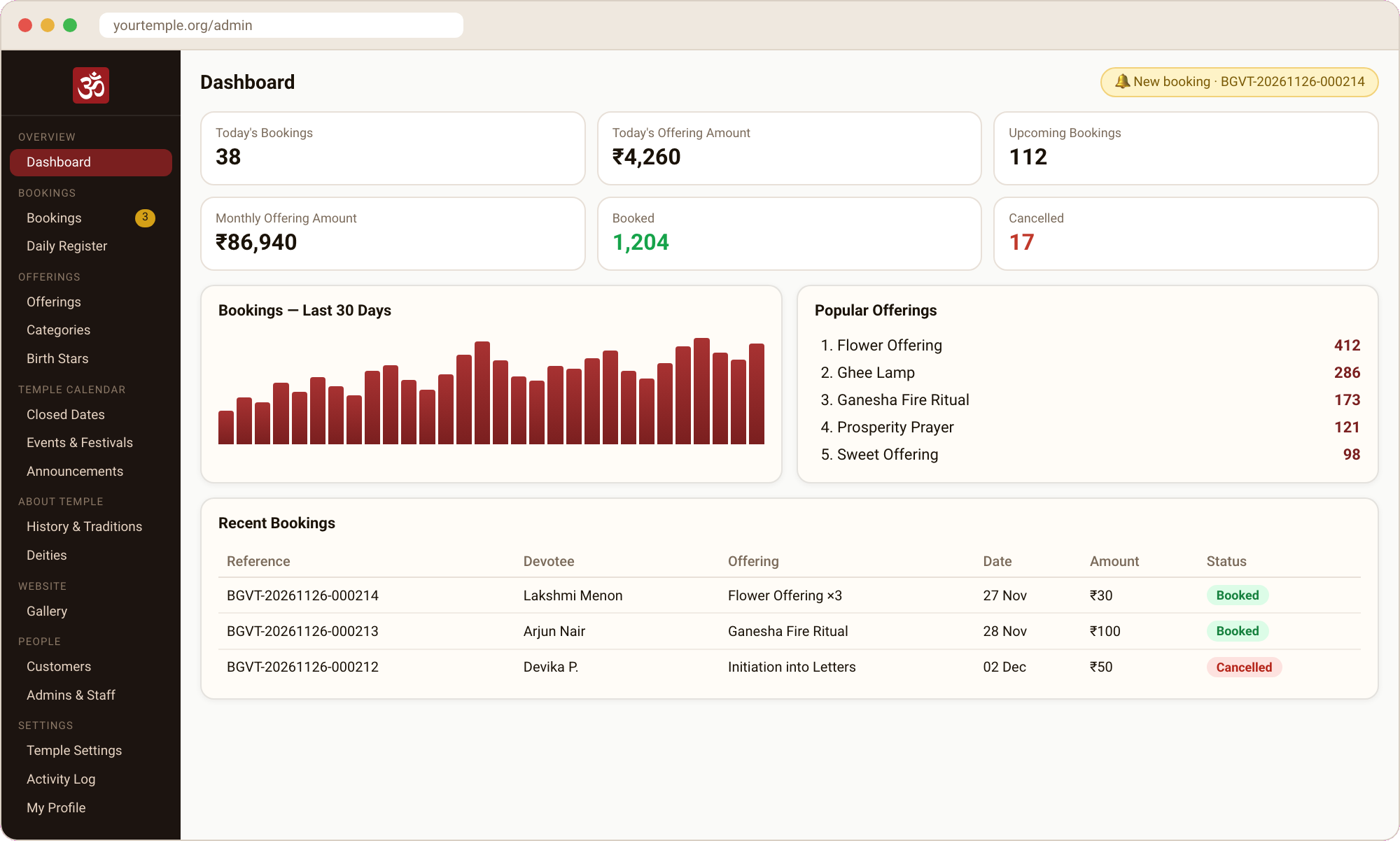
Devotees book offerings on your temple's own website. The office sees every booking as it arrives, and the priest gets a printed list of the day's offerings. Rates, festivals and website content are all managed from one admin console.


What is KshetraOne?
One system for the whole temple office
KshetraOne brings together everything a temple office needs to take bookings and keep devotees informed. It has three parts:
- 01 A devotee websiteOfferings and rates, history, deities, festivals, photos and directions, with online booking. →
- 02 An admin consoleDashboard, bookings, the daily register, offerings, calendar, website content, people and settings. →
- 03 A secure back endRole-based access, two-factor sign-in and an activity log, on your own database. →
The problems we solve
Everyday frustrations in a temple office, and how KshetraOne fixes them.
“Queues at the counter and handwritten receipts”
Devotees book online and get a reference number. The counter just checks it.
“The priest can't read the register before the morning service”
A clean printed list for the day, sorted by service time.
“The rate board and the website show different prices”
Change a rate once and it updates everywhere.
“Devotees book for a day the temple is closed”
Closed dates and weekly hours are blocked at checkout.
“Nobody knows how much came in today”
Today's and this month's totals are on the dashboard.
“The website was built once and never updated”
The office edits the website content itself, with no developer.
How it works
From booking to the priest's list
A devotee books online
They choose offerings, a date, and a name and birth star for each person, then get a booking reference and a confirmation email.
The office sees it instantly
A bell rings in the admin console. The booking appears on the dashboard and in the bookings list.
The priest gets the day's list
Print the daily register, sorted by service time, or export it for the accounts office.
Built for everyone at the temple
Each person sees only what their role needs.
Temple administrator
Secretary, trust office or committee.
- Dashboard and collection totals
- Offerings, rates, calendar and website content
- Staff accounts, settings and the activity log
Temple staff
Office clerk, counter staff or priest.
- View, search and cancel bookings
- Print and export the daily register
- No access to collection totals or settings
Devotee
Anyone, anywhere, on the temple website.
- Browse offerings and book online
- Book for several family members at once
- Track, review or cancel their bookings
Secure by design
Offering money deserves careful software.
Separate roles
Administrators see everything. Staff see only bookings and the daily register.
Two-factor sign-in
Administrators can require a code from an authenticator app, with recovery codes.
Lockout and short sessions
Repeated wrong passwords lock the account, and idle sessions end automatically.
Activity log
Every change and sign-in is recorded with who did it, when and from where.
Frequently asked questions
What is KshetraOne?
Do devotees pay online?
Does it support our regional language?
Can office staff use it without seeing the money?
How much does it cost?
Where is our data kept?
Still have a question? Write to us or request a demo.
Request a demo
Bring your temple office online
- Guided demo with your own offerings and rates
- Your temple website and admin console from one install
- Your data stays in your own database